Seit 2011 schreibt Frank Zoechling über Exchange Server, PowerShell und Active Directory. Leicht verständliche HowTos und Fehlerbehebung sind das Ziel.
 ·
·

 ·
·
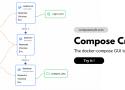
Compose craft is the unique docker compose GUI builder and viewer
·
·

Bei Windows 10 hatte man noch die Wahl. Bei der Installation von Windows 11 wird das Einrichten ohne Microsoft-Konto gar nicht mehr angeboten. Es sei denn, man hilft etwas nach.
Web accessible ONLYOFFICE running on top of Debian - linuxserver/docker-onlyoffice
·
·
 ·
·
·
·

A space to discuss and keep up software development and manage your software career
·
·

WireGuard Skoonie Wrapper. Contribute to FolsomHunter/WireGuard-Skoonie-Wrapper development by creating an account on GitHub.
·
·
 ·
·
·
·
Willkommen beim Onlineservice der VBV – Pensionskasse und VBV – Vorsorgekasse
·
·

Welcome to the third and final day of Pwn2Own Berlin 2025. We' start the day at $695,000 awarded for the contest. It will be interesting to see if we can breach the million dollar mark. Stay tuned for all of the results.
·
·
JETZT NEU! Das SHIFTphone 8 unterstreicht unsere Leidenschaft für nachhaltige Technologie und unsere Wertschätzung für Mensch und Planet!
·
·
 ·
·
·
·
Copyright © 2025 UbuntuBoss: Easy Ubuntu Tutorials | How to for Ubuntu Linux — powered by Justshoppe
·
·

Safely store and share your best moments
·
·
qwen-code is a coding agent that lives in digital world. - QwenLM/qwen-code
https://ollama.com/library/qwen3-coder
https://github.com/QwenLM/Qwen3-Coder
https://www.youtube.com/watch?v=bslXthnOc0Y
·
·
Keycloak - the open source identity and access management solution. Add single-sign-on and authentication to applications and secure services with minimum effort.
·
·
Erkunden Sie Microsoft Sentinel, ein modernes cloudnatives SIEM, das KI, SOAR, UEBA, TI und einen kosteneffektiven Data Lake vereinheitlicht.
·
·

ShareX is a free and open source program that lets you capture or record any area of your screen and share it with a single press of a key. It also allows uploading images, text or other types of files to many supported destinations you can choose from.
ShareX supports many ways to capture or record your screen. The main capture methods are:
• Fullscreen
• Active window
• Active monitor
• Window menu
• Monitor menu
• Region
• Region (Light)
• Region (Transparent)
• Last region
• Custom region
• Screen recording
• Screen recording (GIF)
• Scrolling capture
• Webpage capture
• Text capture (OCR)
• Auto capture
There are many configurable screen capture settings such as showing the cursor, transparent window capture, delayed capture, multiple region selection with different shapes, etc.
After the capture the following automated tasks can be executed:
• Show quick task menu
• Show "After capture" window
• Add image effects / watermark
• Annotate image
• Copy image to clipboard
• Print image
• Save image to file
• Save image to file as...
• Save thumbnail image to file
• Perform actions
• Copy file to clipboard
• Copy file path to clipboard
• Show file in explorer
• Recognize text (OCR)
• Show "Before upload" window
• Upload image to host
• Delete file locally
For example, the captured image can be opened in image annotator and after that, the image can be automatically saved to the hard disk and uploaded to your destination of choice.
ShareX allows you to upload any type of files with these methods:
• Upload file
• Upload folder
• Upload from clipboard
• Upload from URL
• Drag and drop upload
• Upload from Windows shell context menu
• Upload from Windows send to menu
• Watch folder
After the upload, any of the following automated tasks can be executed:
• Show "After upload" window
• Shorten URL
• Share URL
• Copy URL to clipboard
• Open URL
• Show QR code window
For example, the uploaded image URL can be automatically shortened using one of the 15 URL shortener services and the shortened URL can be copied to the clipboard.
ShareX also comes with a few simple productivity tools:
• Color picker
• Screen color picker
• Annotate image
• Image effects
• Hash check
• DNS changer
• QR code
• Ruler
• Directory indexer
• Image combiner
• Image thumbnailer
• Video thumbnailer
• FTP client
• Tweet message
• Monitor test
ShareX has an advanced hotkey system which allows you to use any of these capture methods, upload options or tools with their own task settings. These are called "Workflows". Workflows allow each hotkey to have its own after capture tasks, after upload tasks, destination etc. For example, you can set your screen recording hotkey to upload to a specific destination, bypassing the default destination. This way, only videos will be uploaded to this configured file destination.
·
·